
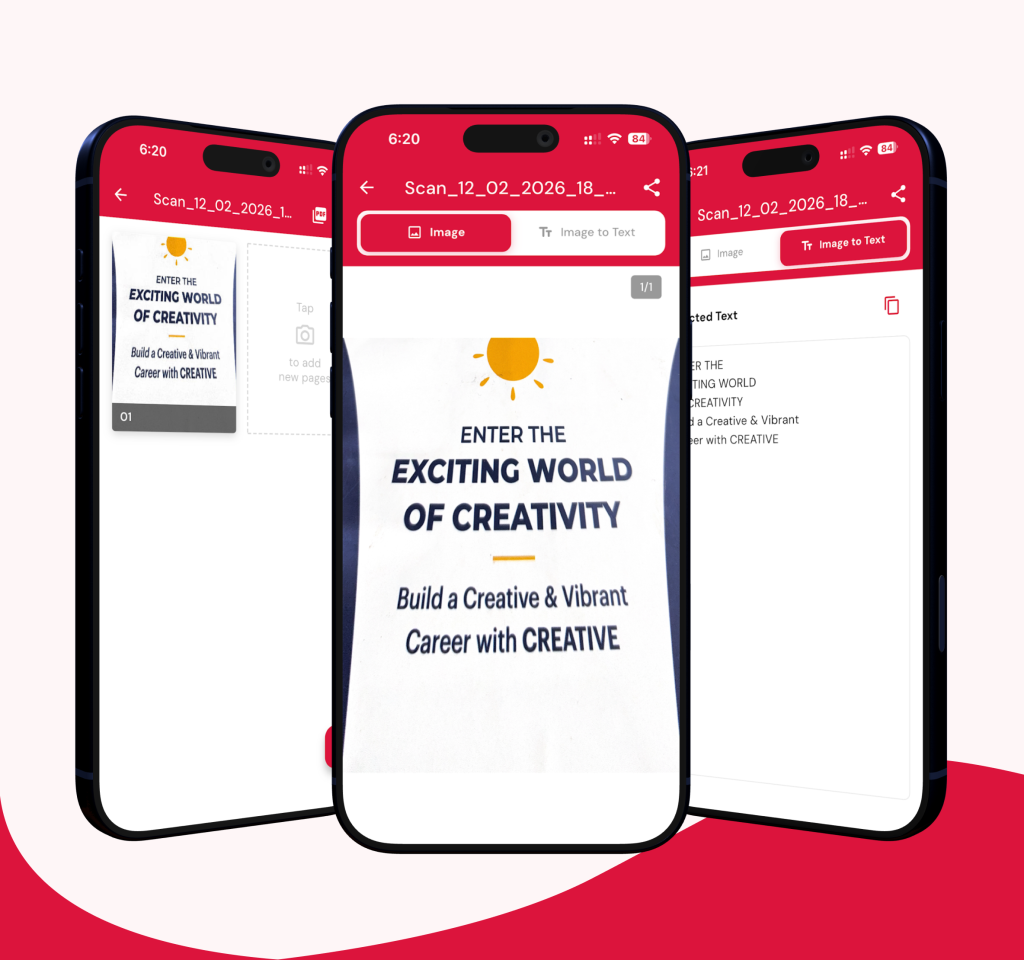
1. Intelligent Document Scanning
- Automatic Edge Detection: Uses advanced computer vision to detect document boundaries and automatically crop scans for a professional look.
- Multi-Page Scanning: Capture multiple pages in a single session and bundle them into a coherent document.
- Image Enhancement: Built-in tools to enhance clarity, adjust brightness/contrast, and apply filters to make text more readable.
- Gallery Import: Bring in existing photos from your device to process them as scanned documents.
2. Professional PDF Management
- Instant PDF Creation: High-quality conversion of scanned images into standard PDF files.
- Document Renaming: Easily rename files to keep your digital workspace organized.
- Easy Sharing: Share your documents via Email, WhatsApp, or other platforms as either PDFs or high-resolution images.
3. Advanced Organization
- Smart Folder System: Create custom folders to categorize your scans (e.g., “Work,” “Personal,” “Invoices”).
- Batch Operations: Select multiple documents or folders to move, share, or delete them simultaneously.
- Local & Cloud Storage: Managed using a local SQLite database for speed and Firebase for reliability.
4. OCR (Text Recognition)
- Text Extraction: Leverages Google ML Kit (Text Recognition) to extract text from images, allowing you to copy or search data from physical documents.
FAQ'S
Answers

Is DocuLens free?
Yes. DocuLens is free to download on both Android (Google Play Store) and iOS (Apple App Store).
Can DocuLens extract text from scanned documents?
Yes. DocuLens uses OCR (Optical Character Recognition) via Google ML Kit to extract text from scanned images. Once extracted, you can copy and use the text in other apps.
Can DocuLens extract text from handwritten notes?
DocuLens OCR works best on printed text. Accuracy for handwriting depends on how clearly and neatly the text is written.
How are my scanned documents stored?
Documents are stored locally on your device using a secure database. Cloud backup via Firebase is available for syncing your files across multiple devices.
Can I scan ID cards and passports with DocuLens?
Yes. DocuLens can scan any flat physical document including ID cards, passports, certificates, receipts, and business cards.
Can I scan multiple pages into one PDF?
Yes. DocuLens supports multi-page scanning in a single session. All pages are bundled into one PDF document automatically.
What file formats can I export scans in?
You can export scans as PDF files or as high-resolution PNG images, depending on your sharing or storage needs.