
Core Financial Logging
Income & Expense Tracking: The primary function is logging daily financial activities.
Categorization: Organizing spending into specific buckets (Food, Travel, Salary, etc.) to understand spending habits.
Account Management: Support for multiple “wallets” or bank accounts to track where money is stored.
Budgeting & Monitoring
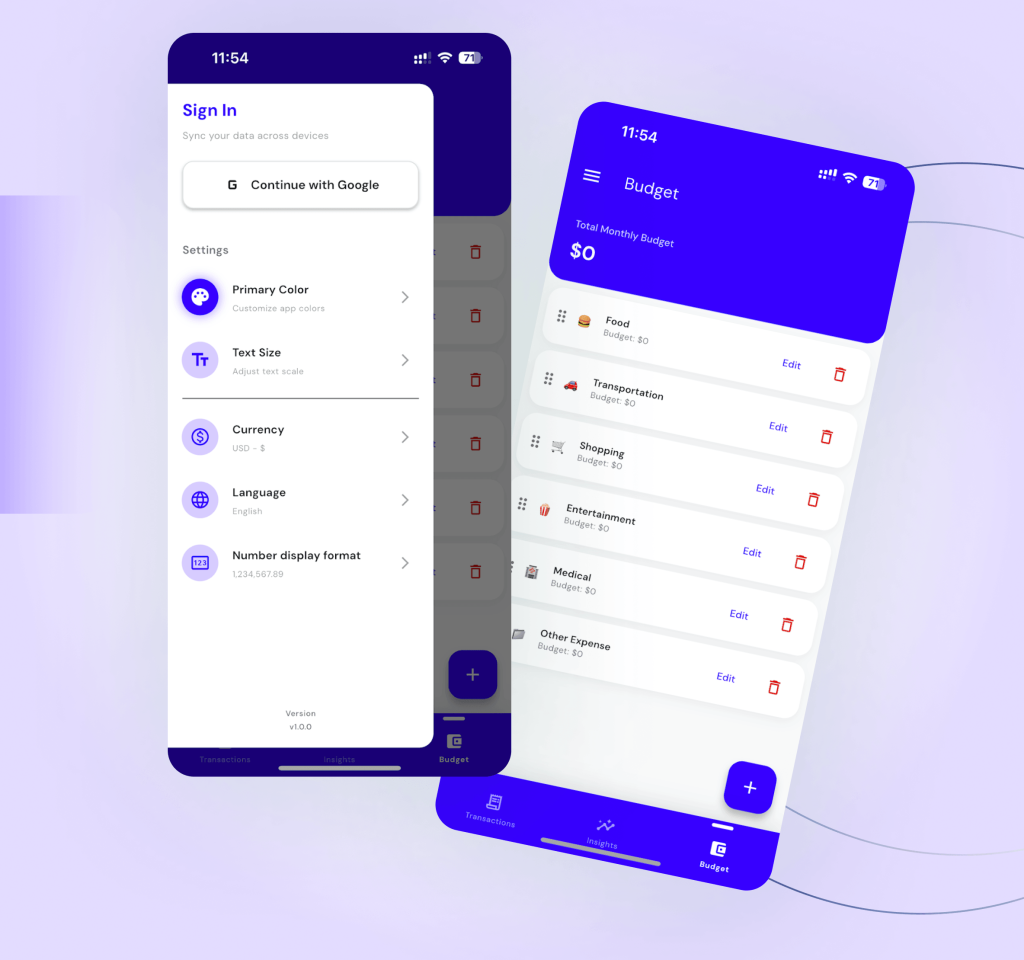
Limit Setting: Users can define monthly spending limits for specific categories or the entire month.
Visual Progress: Real-time progress bars showing how much of the budget remains, with red-color alerts for overspending.
Visual Analytics (Insights
Interactive Charts: Pie charts that dynamically update to show percentage breakdowns of expenses.
Historical Comparison: A month-by-month selector to view past performance and financial trends.
Detailed Breakdown: A list-view summary of transaction counts and total volume per category.
Reliable Data Sync (Offline-First)
Localized Storage: Works 100% offline using an on-device database (Sqflite).
Auto-Cloud Sync: Automatically pushes local changes to Firebase Firestore when the device connects to the internet.
Multi-Device Support: Allows users to see their data on different phones by logging into the same account.
Receipt & Document Organizer
Digital Filing: A dedicated feature to scan and store receipts or financial documents.
Folder Organization: Ability to group related documents together for better record-keeping. Quick Technical Summary
Auth: Google, Apple, and Email login + a Guest Mode.
UI/UX: Dark mode support, multi-language support, and smooth animations.
FAQ'S
Answers

Is FlowLedger free?
Yes. FlowLedger is free to download on both Android and iOS.
Does FlowLedger work without internet?
Yes. FlowLedger is offline-first. All data is stored on your device and syncs automatically to the cloud when you go online.
Can I use FlowLedger across two phones?
Yes. Log in with the same Google, Apple, or email account on both devices and your data will sync automatically via the cloud.
How is my financial data protected?
FlowLedger uses secure authentication — Google, Apple, or Email login — and stores data locally with Firebase cloud backup. Your data is not shared with third parties.
Can I track both income and expenses?
Yes. Every transaction is logged as either income or an expense. The dashboard shows both so you can see your net balance at any time.
Can I set monthly budget limits?
Yes. Set a spending limit for any category or for the entire month. A real-time progress bar shows how much budget remains, and turns red when you are close to or over the limit.
Can I scan and store receipts inside FlowLedger?
Yes. FlowLedger has a built-in receipt scanner. Scan paper receipts and store them in organised folders directly inside the app for easy record-keeping.